Soil Intelligence Model
You don't need more numbers. You need to know which fields need water, when, and whether the last irrigation did its job.
The Sensoterra Soil Intelligence Model turns individual sensor readings into one clear picture of soil moisture across your fields; built around how you actually irrigate. Orchards, vineyards or row crops.
Blue measures. Green explains. Gold decides.
The sensor
Hammered into the ground in a minute, then maintenance-free. One spot, measured precisely, auto-calibrated.
The Soil Intelligence Model
Fills in the space between and around your sensors. Turns points into a picture of your whole operation.
You are reading about this layerSensoterra Assist
Translates that picture into an action: which field, when and how much.
Why one spot is not the whole field
Water at the right moment, in the right place, is what protects yield and quality. Too little stresses the crop at critical stages. Too much drowns roots and washes out nutrients.
A soil moisture sensor tells you what is happening at one spot, at one depth. Valuable. But it leaves three questions open:
- Is the rest of the field the same?
- Did that rise in moisture come from rain, or from irrigation?
- Which sensor depth should you base your decision on?
The model fills in the space between your sensors.
Each estimate is a weighted blend of several sources, together with a soil water balance and your own feedback. It is always judged against the soil at that spot.
So "dry" in sand means something different from "dry" in clay loam.
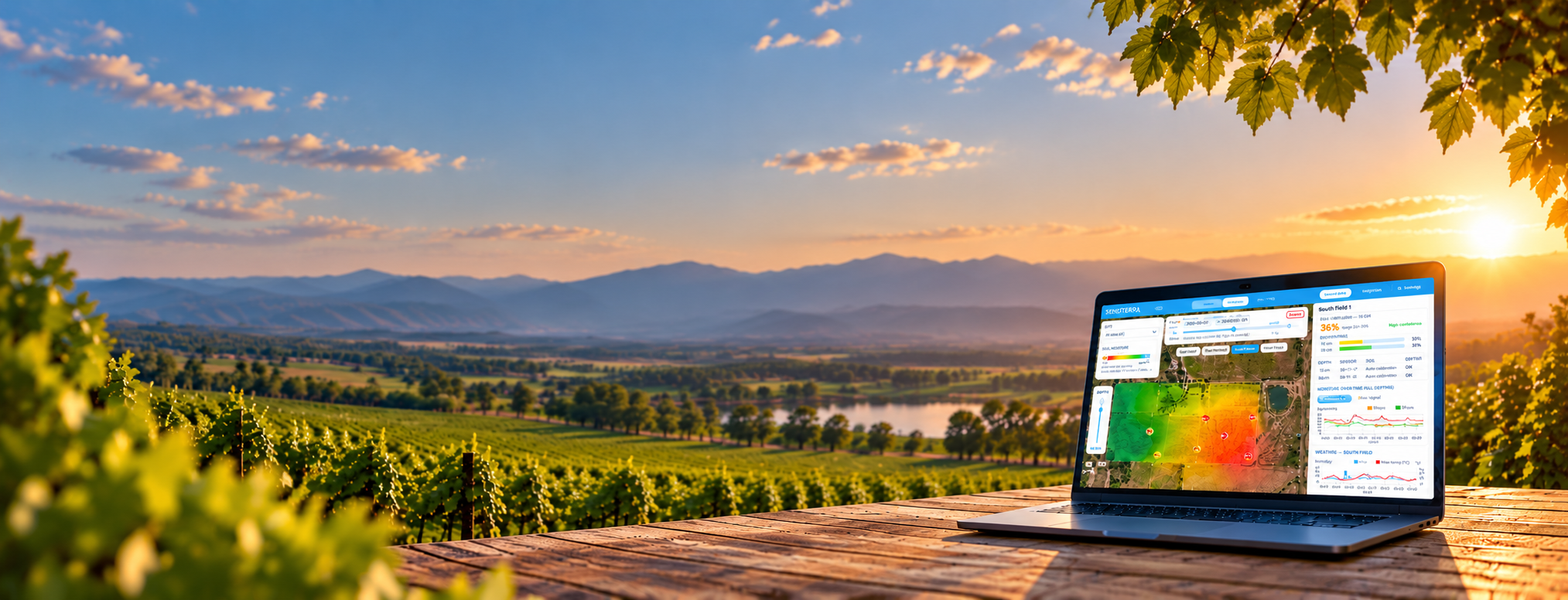
One moisture picture of your operation
Coloured dry, good or wet. Opens through a private link in any browser, nothing to install.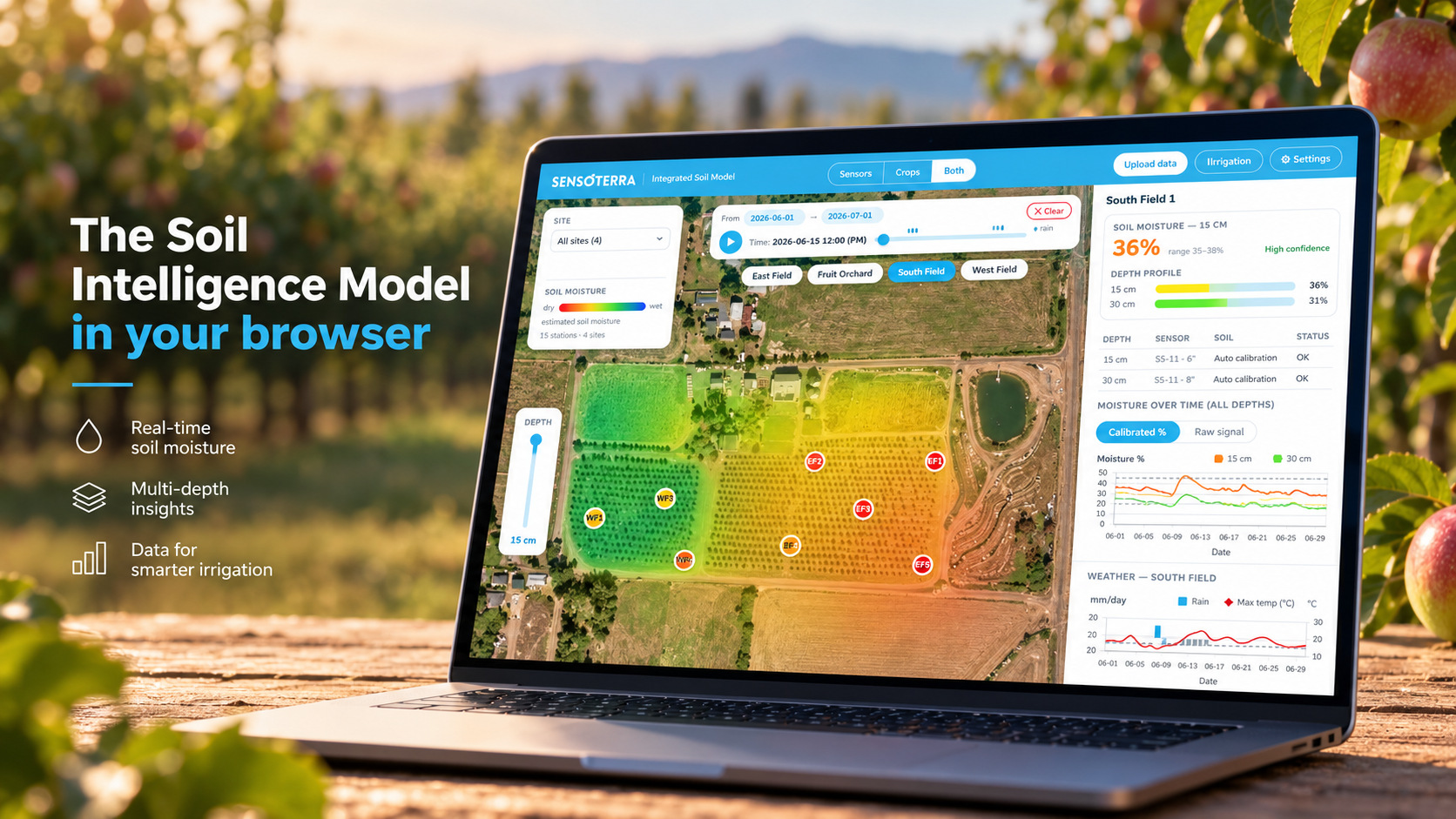
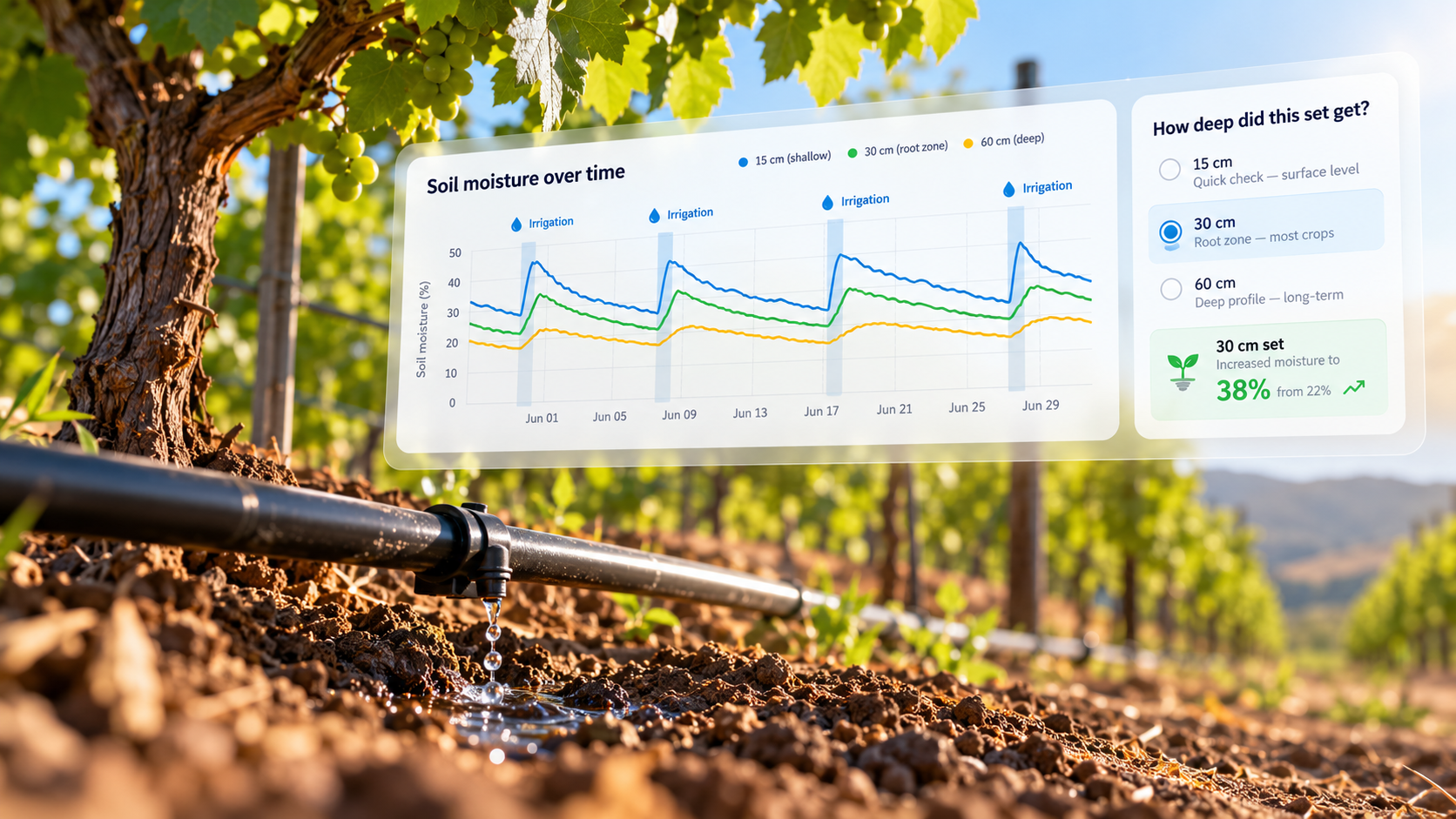
Was that spike rain, or your irrigation?
Upload your irrigation logs and the model lines them up with your moisture data. Three things follow from that:
Look back. Go over past irrigations and see straight away what caused each rise in moisture.
Keep logging. Every set is on record, so you can check afterwards whether your timing was right.
Check the depth. Did the water stop at the top layer, or reach all the way down to 24 inches?
Season after season, you fine-tune your timing so the crop gets water when it counts.
Your zones, your soil, your blocks
No two irrigation zones behave the same, whether it's a drip line in a vineyard or a pivot in a corn field. The model follows the way you irrigate — not just where the sensors happen to be.
Your irrigation zones
Add your zones and the model takes into account how water is actually applied. So you spot the zone that's falling behind before it shows in the crop.
Your soil, not just the survey
Every estimate starts from soil survey data. Dug a sandy streak through your almond orchard? Adjust the values yourself, per sensor and per depth. The map recolours straight away — and resets to default whenever you want.
Your blocks, your rows, your root zone
Upload block boundaries or tree rows straight from your farm management software. Set the depth band your roots actually work in, and the model blends those depths into one number per station.
Curious what this costs for your acreage?
Tell us how many fields and depths you need, and we'll put a price on it.
You know your field better than any model
When you dig or walk a field and the model doesn't match what you find, tell it. Answer wetter, about right or drier — or enter a measured percentage.
The estimate shifts immediately and your input stays visible as its own source. Every entry can be undone, so you stay in control.
The longer you use it, the closer the model gets to your own field.
You know this field. Tell the model.
Station C, 12 in · after you've dug or walked the field
✓ Saved as "Your calibration" — about right
Replay your season, with your own weather
Step back through the season or play it forward, with rainy days marked along the way. Zoom in on one irrigation set, or on one heat wave.
Rainfall and evaporation come from your own weather station where one is connected, and from an established weather data source for your region otherwise.
So you can learn from last season's heat wave before the next one hits.
Build it into your own platform
For integrators, dealers and farm management platforms: the same intelligence through the Soil Intelligence API. Calibrated, model-backed moisture data in the tools your customers already use.
What growers say
Irrigation logging has been one of the best-received features so far. For the first time, growers can see set by set what each irrigation actually did in the soil.
Growers using automatic calibration also tell us it finds the right baseline for their soil, including field capacity, more reliably than picking a calibration curve by hand.
[CUSTOMER QUOTE from an existing agri customer, ideally about irrigation logging or the feedback function. Two or three sentences in the grower's own words.]
See it on your own fields
Fewer guesses. Better-timed irrigation. A crop that stays out of stress.
The Soil Intelligence Model works with your Sensoterra sensors and opens through a private link in any browser.
Want to see what it shows for your operation?
Or contact your Sensoterra partner.
Over the coming weeks we take a closer look at each of these features on our LinkedIn page.
Blue measures. Green explains. Gold decides.